Headshot
Describes the picture's purpose and emphasis: a face-focused introduction. A headshot photo can be casually lit or studio-styled; it does not have to come from a particular camera or be square.
A headshot photo is a portrait centered on your face, usually framed from the head to the shoulders, that introduces you alongside your name or biography. Start with a clear photo of yourself to create one with studio-quality lighting, clothing, and background—without booking a shoot.
A simple portrait brief is ready. Keep it, change it, or leave it blank—we can handle the look.
Free watermarked preview · No account required
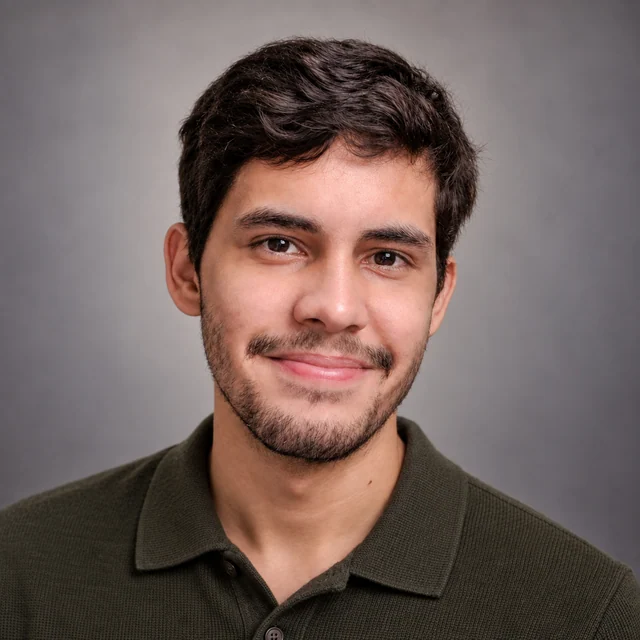
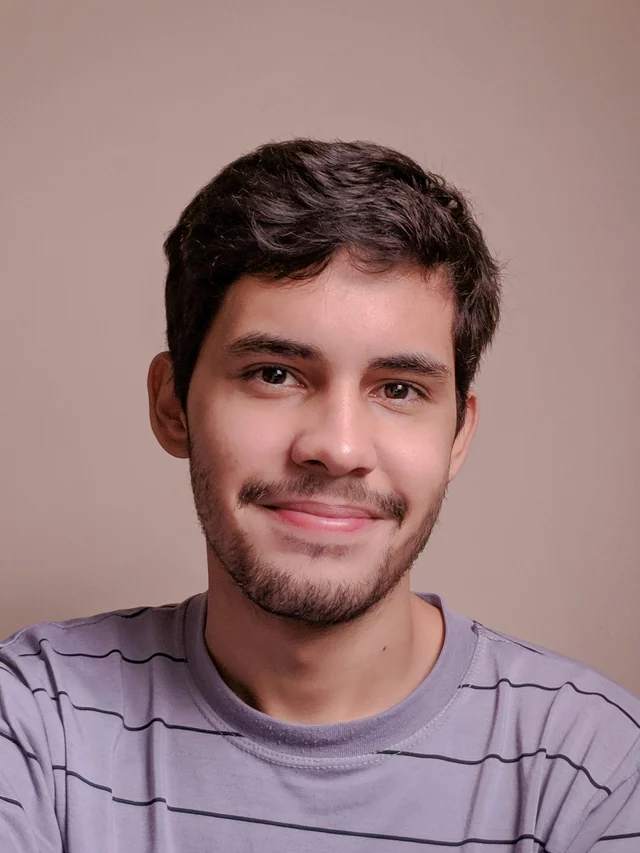
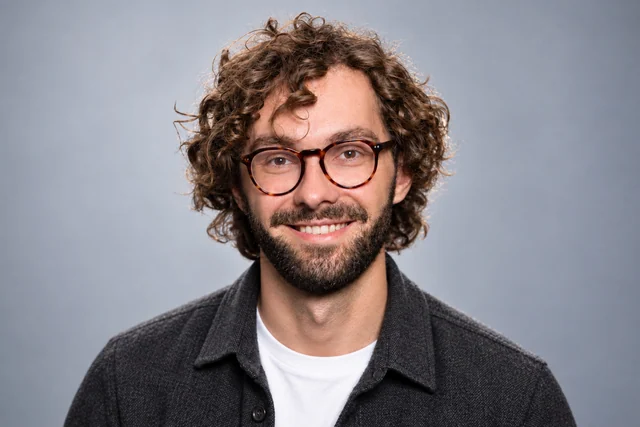
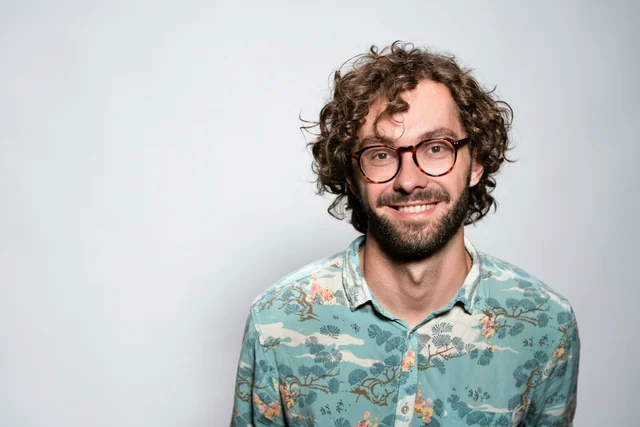
One person, three treatments
These images separate two decisions: how much of the photograph to keep, and whether its lighting and styling need to change. The first two use exactly the same photograph. The third is a real studio-style result generated from that reference.
The face is already clear and the light is usable. More of the patterned shirt and surrounding space remain visible. This can already serve as a headshot photo if that casual presentation fits the introduction; a wider frame does not disqualify it.
Removing space on the left makes the person more prominent. The smile, shirt, background, and facial lighting are unchanged. If that is the only change you need, a normal crop is enough. It cannot soften a shadow on the face or replace the shirt.
The patterned shirt becomes a dark jacket over a white top. The light and gray backdrop are newly generated too. The presentation changes, guided by the reference. It is a new portrait, so check that the face and recognizable details still feel like you.
Original photograph by Christian Buehner. The middle image is a crop of that exact photograph. The final image is a selected Professional-Headshot.ai result, shown in a square frame; results vary.
Keep or crop a photograph whose light and styling already fit. Generate a new portrait when the presentation needs to change. If important facial details are missing, start with a clearer reference.
Describes the picture's purpose and emphasis: a face-focused introduction. A headshot photo can be casually lit or studio-styled; it does not have to come from a particular camera or be square.
Describes who takes the picture. A selfie can also be a headshot when its framing and lighting work. Uploading it for a studio treatment is an option, not a requirement for calling it a headshot.
Describes a broader view. A full-body or environmental portrait can make the outfit or location part of the story. Cropping it closer may work, but only if enough clear facial detail remains; studio polish cannot be created by cropping alone.
Test your own photograph
Open the original in your usual photo editor and save a separate crop. Check the pixels that remain around your face, not just the size of the full photograph. A tighter composition can make the introduction clearer; it cannot create studio lighting or recover missed focus.
Choose the shape the destination needs. Keep your hair and chin inside the frame, with enough shoulder visible to read as a portrait. If the required crop cuts through your head or removes too much clothing, try a wider source. Do not stretch the face to fit.
Before enlarging the export, note the crop's width and height in pixels. Compare both with the destination's requirements. A large group photograph may leave only a small portrait after cropping. Meeting a pixel minimum does not prove that the eyes are in focus or facial light is balanced.
At 100% zoom, inspect eyes and glasses edges for blur or blockiness before resizing or sharpening. Then preview your headshot photo at its intended size in the page layout: the face should remain easy to read against the background. A clean studio-style composition and enough image detail are separate checks.
Create a studio-quality headshot photo without being left with a gallery to sort through. In the full paid workflow, we check the options against your original photos and select one recommended headshot plus two alternatives for each scene.
For each paid scene, the system checks and selects a focused set: one recommended headshot photo and two alternatives. Start with the recommendation for your introduction, and view the alternatives if you want another option. You do not have to compare a large batch of similar portraits.
We check for visible issues such as distorted glasses, unnatural eyes or teeth, and changes to your facial features. Where possible, affected photos are repaired or replaced; those that still fail are left out. A clean backdrop alone is not enough to make a portrait ready.
Your glasses, facial hair, hairstyle, age, skin tone, and natural facial details should remain part of the portrait. The light and styling can become more polished while the person being introduced still feels like you.
We bring clothing, background, lighting, and overall styling together for each scene. Start with just your photos; add preferences if you have them, or let us make the choices. You do not need to arrange a shoot or configure a studio setup first.
Choose a result and describe a change, such as softer lighting or a less formal top. With an active paid plan, we use your original photos to guide the edit and keep earlier versions available for comparison during the storage period.
Before you start
Practical answers about photo types, usable crops, and when a photograph needs a new studio look.
No. Square, vertical, and wider layouts can work when the face stays prominent and the lighting and background support it. Follow the receiving page's dimensions without stretching the portrait.
Yes. Selfie describes who takes the picture; headshot describes its purpose. Suitable framing and light can make the same photograph both. Generating a new studio look is optional.
Sometimes. Use the crop checks above. Another person's arm across your shoulder, a partly hidden face, or too little facial detail can limit the result even when the clothing and background suit the introduction.
You can create one watermarked preview of a studio-style portrait without an account. Watermark-free download requires a paid upgrade. The full paid workflow is described above.
The same portrait workflow supports different introductions. These pages explain how to adapt the lighting, clothing, and framing to a particular destination.
Start with a clear, recent photo. We handle the lighting, clothing, and background; you can add a preference whenever you have a particular use in mind. Try the free watermarked preview before choosing a paid plan.
Create My Headshot Photo