Create AI pro headshots from a photo you already have. We bring clothing, background, and lighting together for a studio-quality portrait you can use to introduce yourself at work. Start with one clear photo and try a free watermarked preview. Add a preference if you have one, or let us handle the look without a studio appointment.
Use the suggested description, change it, or leave it blank. We can handle the look.
Free watermarked preview · No account required
A product example
One photo. A studio-style result.
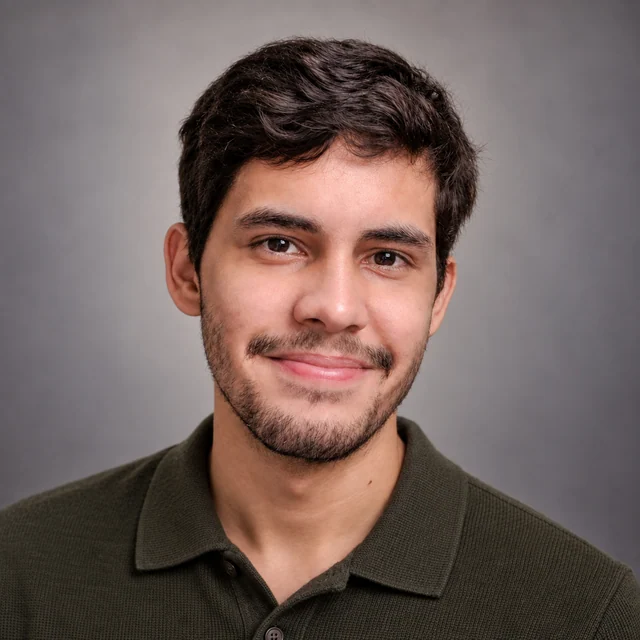
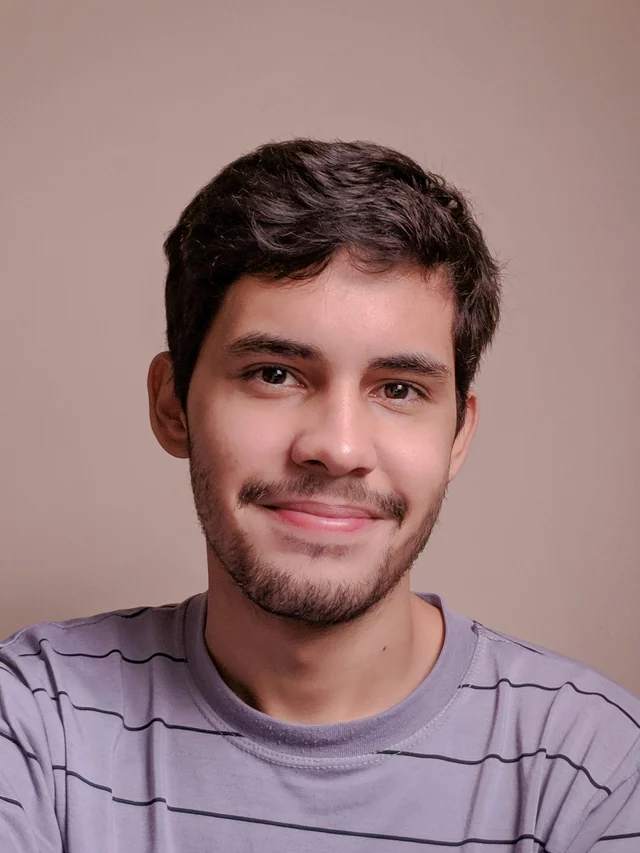
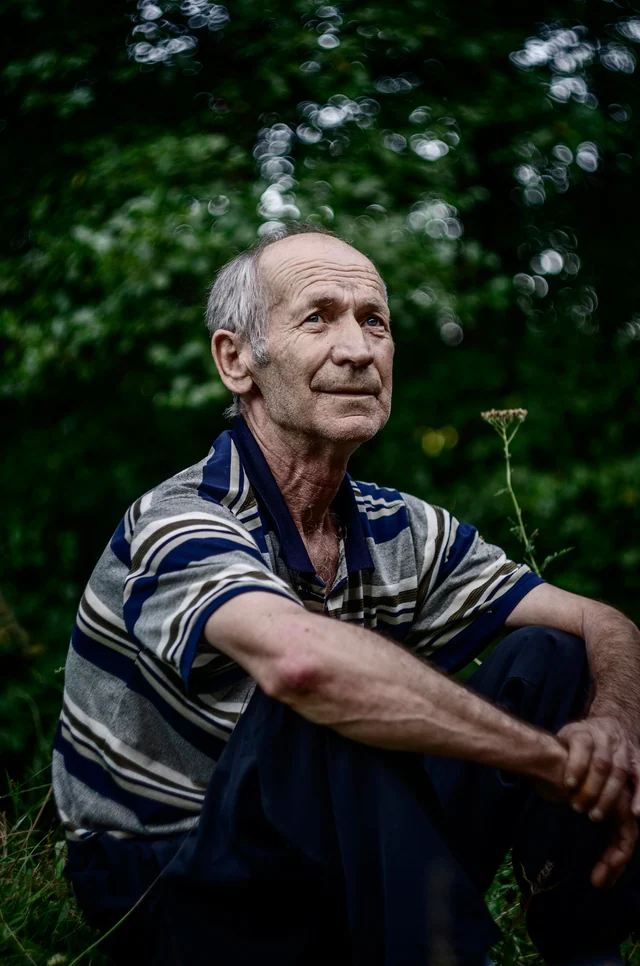
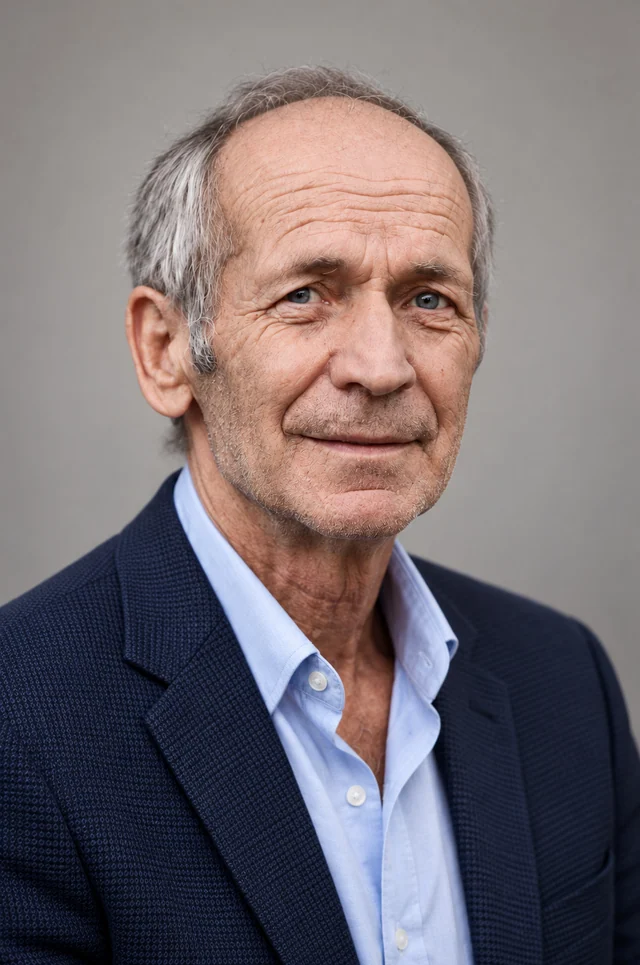
See how we create AI pro headshots from everyday photographs. This selected example pairs an original with its product result: a new jacket, neutral backdrop, and soft portrait light created from that reference.
Product demonstration using a licensed reference photograph by Mihai Lazăr and a result generated with Professional-Headshot.ai. This is a selected example, not a customer testimonial or a guarantee of an exact likeness.
Original reference
AI-generated studio result
Why choose us for AI pro headshots?
Get studio-quality AI pro headshots without a large gallery to sort through. In the full paid workflow, we check the generated options against your original photos and select one recommended headshot plus two alternatives for each scene. Your references guide the person; we handle the styling, checks, and selection.
One Recommended Headshot. Two Alternatives.
For each paid scene, the system selects one recommended headshot and two alternatives. Start with the recommendation; the alternatives are there if you want another option. You do not need to compare a large batch of studio variations or decide which generated portrait should rank first.
CreateCheckSelect
Quality Checks Before Delivery
We look for visible issues such as distorted glasses, unnatural eyes or teeth, and changes to your facial features. Affected photos are repaired or replaced where possible, and those that still fail are left out. New clothing and polished light should not come at the expense of a visibly distorted face.
Keep the Details That Make You Recognizable
Your glasses, facial hair, hairstyle, age, skin tone, and natural facial details should remain part of the result. Clear, current references help guide those details while the scene changes. AI pro headshots should still feel like you, rather than treating younger skin or a different face shape as an improvement.
Your Studio-Quality Look, Handled for You
We coordinate the clothing, background, lighting, and overall styling. Your reference photos do not need to contain the finished look. Start with just your photos, add preferences if you have them, or let us make the choices; a wardrobe plan and a detailed prompt are not prerequisites.
Refine the Result Instead of Starting Over
Select a result and tell us what to change, such as a quieter backdrop or a different jacket color. With active paid editing access, your original photos guide the edit, and earlier versions remain available for comparison during the storage period. You can build on an existing studio direction rather than write a new brief from scratch.
An original photo, a portrait whose style you like, and an AI result serve different purposes. You can start creating AI pro headshots with one clear photo. Find the situation that matches yours when you want to add a reference, describe a studio look, or continue from an existing result.
Upload your original photos separately
You have a phone photo, a camera portrait, or several originals.
Upload the original photos you want to use for AI pro headshots. Add additional photographs as separate images instead of arranging them on a contact sheet. A collage makes each face a smaller part of a larger image; its layout and borders add no useful reference for the studio portrait.
You do not need every frame from the same moment. Several nearly identical pictures repeat the same view, including anything it hides. Start with one clear image, and add another only if it shows a useful detail. Different source outfits or backgrounds are fine: we create the finished clothing and lighting together.
Fill a gap, or resolve a disagreement
A hat hides your hairline, or your photos show different beard lengths.
For a missing detail, supplement the reference. For AI pro headshots without a hat, a photo with an uncovered hairline supplies something the first image cannot show. More views with the same hat do not resolve that gap. The extra photo can have different clothes and surroundings; it is there to guide your appearance, not the studio setting.
For conflicting appearances, decide which one should guide the portrait. If an older photo shows a beard you no longer wear, leave it out when it adds nothing useful, or state which appearance you want retained. Adding more old and new versions does not explain that choice. A short preference can identify the beard to retain while we coordinate the new outfit and portrait light.
Put a style reference into words
You like the clothing, background, or light in someone else's portrait.
Keep your own face as the reference for AI pro headshots. Adding someone else's face mixes a styling example with the material meant to establish your appearance. Instead, name the visual qualities you like in the optional preferences. A jacket color, a plain backdrop, and soft facial lighting give a useful direction without asking for that person's face.
For example, the request below describes a complete studio direction without a style-image upload. It does not require the same outfit in your own photograph. If you have no particular look in mind, leave the preferences blank and let us handle it.
Optional style description
A charcoal jacket, a pale gray backdrop, and soft light across my face. Use my own photos as the reference for my appearance.
Continue from a result you already have
You want to refine a headshot previously created here.
To refine AI pro headshots you made here, open the result you want to adjust and use Edit with active paid access. This keeps its original photos involved in the adjustment. For example, you can ask for a warmer studio backdrop without turning the finished AI image into your only identity reference.
Uploading a downloaded AI portrait as a new reference is a different choice: any facial changes already in that image can carry into the next portrait. The upload does not reconnect it to its earlier originals. If you are starting a new headshot, use your original photographs; if you want to develop an existing studio look, continue from its result instead.
Use only the situation that applies to you. Extra references and a written style preference are optional; one clear photo is enough to try the studio look. The system handles selection of the paid results.
From your photos to your result
AI pro headshots: your questions
Will AI pro headshots copy every detail of my original?
No. Your photos guide your appearance while AI creates the studio portrait. This is a new image, so facial details can vary as well as the clothing, pose, and light. A request to keep a feature is guidance, not a pixel lock. If you need the exact photographed expression or every original detail untouched, retain the original photograph for that use.
Can AI pro headshots reproduce a particular jacket or uniform?
You can describe the clothing direction, such as a navy blazer, and we can build the studio look around it. Exact tailoring, buttons, fabric patterns, logos, and uniform insignia are not guaranteed. If a precise garment detail must be documented, use a photograph that actually shows it rather than treating generated clothing as a faithful record of that item.
Is a beauty-filtered selfie a useful reference?
An unfiltered original is a clearer starting point for recognizable AI pro headshots. A filter may alter face shape or erase skin texture before the AI sees the photo. Asking for a natural result cannot reliably undo changes when the original details are absent. If the filtered image is all you have, a new clear, unfiltered photo can supply more useful information than extra copies of it.
What if I only have a collage and cannot find the originals?
You do not need to recover a whole set before starting. If the separate originals are unavailable, take one clear phone photo with your face visible. You do not need to recreate the collage's outfit or setting: the new photograph can guide your appearance while we create the studio clothing, background, and light.
Will new uploads change the references used to edit an earlier result?
No. Editing an earlier result uses the original photos associated with that result, not new images waiting in the upload form. To create AI pro headshots from a different set of photos, start a new generation with those references. For edits, active paid access is required, other details can also change, and the initial paid generation checks are not repeated. Earlier versions remain available during the storage period.
Can I try my reference photo before buying a plan?
Yes. The free experience provides one watermarked preview without an account, so you can try how your reference translates into a studio-style portrait. The full paid workflow adds the checked recommendation and two alternatives per scene. Paid editing requires active access; those features are separate from the single free preview.
Start your AI pro headshots with one photo
Your starting photo does not need a blazer, a backdrop, or a carefully arranged shoot. A clear view of how you look now is useful enough to begin. Upload it above, add a preference only if you want one, and create your first watermarked preview.
Professional-Headshot.ai uses your own photos to guide a complete studio-quality look, with the full paid workflow handling checks and selection for each scene.