Professional business headshots introduce you in company profiles and business materials. Create yours from your own photos, with clothing, background, and studio-quality lighting handled for you. Add requirements for your current work, or let us arrange the look while keeping the details that make you recognizable. No studio appointment needed.
Use the suggested direction, add a work requirement, or leave this blank. We can arrange the look.
Use Professional-Headshot.ai for free · No account required
Original photos beside AI-generated product results. Preferences are optional; results vary.
The finished introduction
What could your professional business headshots look like?
A plain backdrop, a light office setting, and a relaxed collared shirt can each support a professional introduction. These finished examples show how the whole portrait works together. You do not need to select a style before uploading your photos.
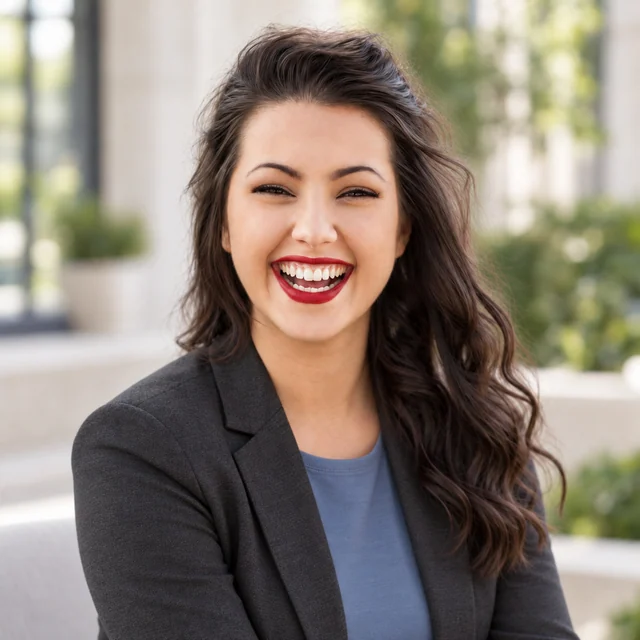
A clear, restrained introduction
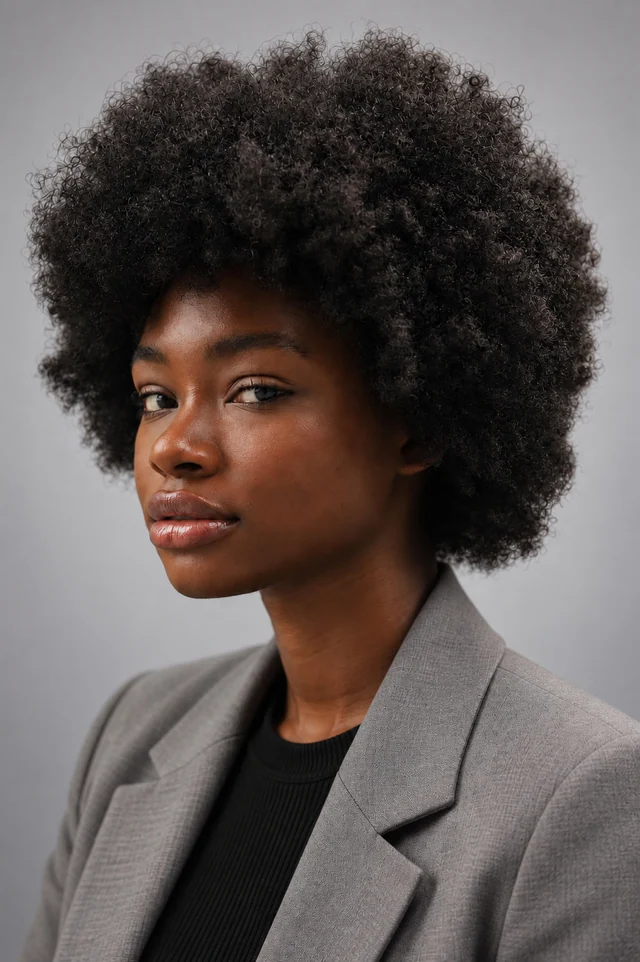
The gray blazer, black top, and plain background keep attention on the face. Soft light separates the features without an elaborate setting, while the curls remain prominent. This is a useful direction when a company wants the portrait to sit quietly beside a biography. A tailored jacket adds structure; it does not require changing your usual hairstyle.
Reference photo: Good Faces.
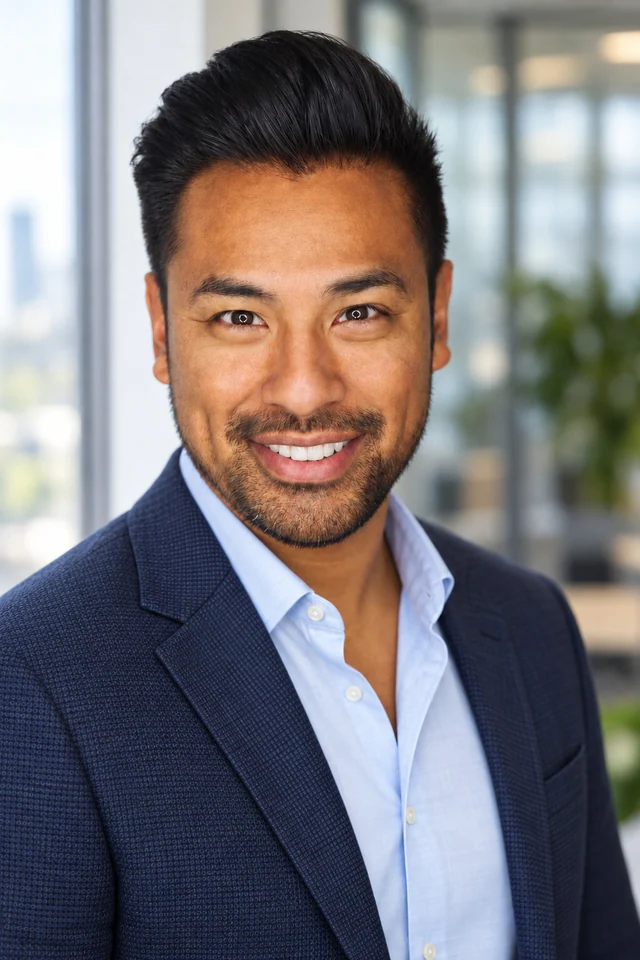
Business clothing with an open setting
The navy jacket and pale shirt provide a business look, while the open collar and smile soften the introduction. Blurred windows and greenery add context without dominating the face. Professional business headshots can use this direction for a personal service profile. The office is a generated setting, not evidence of where the person works or meets clients.
Reference photo: Joseph Gonzalez.
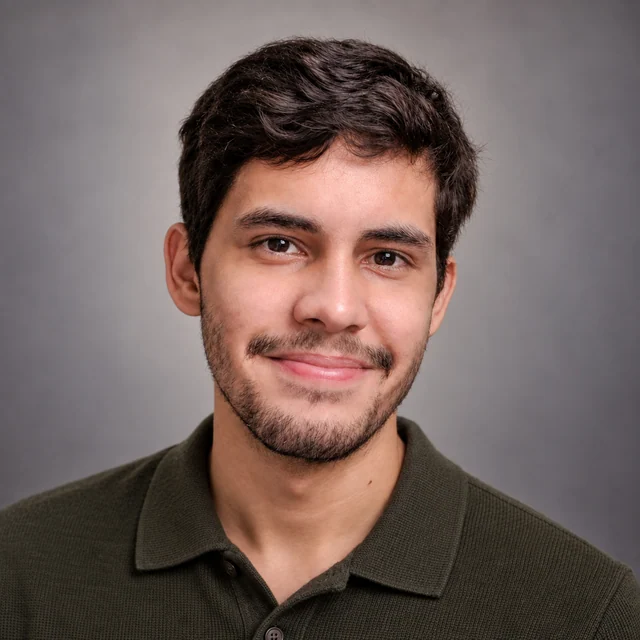
A polished portrait without a jacket
The olive collared knit, slight smile, and quiet background create a less formal presentation. The face still has clear light and a prominent place in the frame. This could suit someone whose working day does not involve a suit. When no company dress code applies, a coordinated studio finish can make familiar clothing feel considered rather than overdressed.
Reference photo: Wellington Ferreira.
Actual product results made with licensed demonstration photographs. The work situations below are hypothetical applications, not customer stories or endorsements.
Read the whole portrait
What makes a business headshot look professional?
Professional business headshots work when the person, styling, and intended introduction agree. A jacket alone cannot solve an outdated likeness or a distracting setting. Look at these elements together in the examples above.
01
Your current appearance comes first
The portrait should reflect the person colleagues or clients will meet. Clear studio light can bring out your eyes and natural facial detail without making a different age or face the goal. Use recent references when your glasses, hair, or facial hair have changed; an old portrait supplies an old appearance even if its clothes look appropriate.
02
Clothing has a job to do
A jacket creates a different outline from a collared knit. Either can work when it fits your actual business context. If the recipient specifies formal clothing, include that requirement. Otherwise, professional business headshots can take their direction from how you normally introduce yourself at work, with the lighting and background completing the look.
03
An expression you can recognize
A broad smile is not compulsory, and a serious expression is not automatically more professional. The office example uses a visible smile; the collared-knit portrait uses a smaller one. Both keep the eyes clear. Reference photos showing your familiar expression help guide the result; a polished portrait should not depend on a smile that feels unlike you.
04
A background that supports the introduction
A plain backdrop leaves little to compete with the face or surrounding text. A soft office setting adds a sense of place. Choose the direction that fits the recipient's brief, or leave it to us. If the image must document your real premises, a generated environment cannot establish that fact; use a photograph taken there.
05
Room for the face, hair, and shoulders
Portrait lighting should make the face easy to read, while the framing gives clothing enough space to support it. Avoid treating a close crop as the only professional option. If a company provides a sample layout, mention the head-and-shoulders framing it needs. Keep room around your hair so the final placement can be adjusted without cutting into it.
From a work requirement to a portrait
When your work changes, what should the portrait change?
Professional business headshots often start with a practical request: a new company needs a photo, your own business needs an introduction, or the old portrait no longer looks current. Here is how those requests translate into clothing, background, light, and a usable portrait brief.
Situation 01
A new company has a specific photo brief
Suppose a new employer asks for a gray background, a head-and-shoulders view, and neat business clothing, with knitwear allowed. Your current photos may show your face clearly without meeting any of those styling requirements. They can still guide your appearance. Separate what the company needs in the finished portrait from what your source photo needs to show about you.
Turn the company's instructions into a few concrete preferences: background color, clothing, and framing. If you have only seen the team page, describe its shared presentation without asking to copy a colleague's face or hairstyle. The plain-background example here shows a collared shirt beneath knitwear and space around the shoulders. If your employer requires a jacket instead, say so; this particular example would not meet that clothing requirement.
Optional request for your own photos
Professional business headshots for my new company profile: gray background, neat knitwear over a collared shirt, and head-and-shoulders framing. Use my current appearance and handle the studio lighting.
If the company later asks for a lighter backdrop, request that change on the selected result with active paid editing access. Keep the accepted clothing and framing in the request so the adjustment stays focused on the remaining requirement.
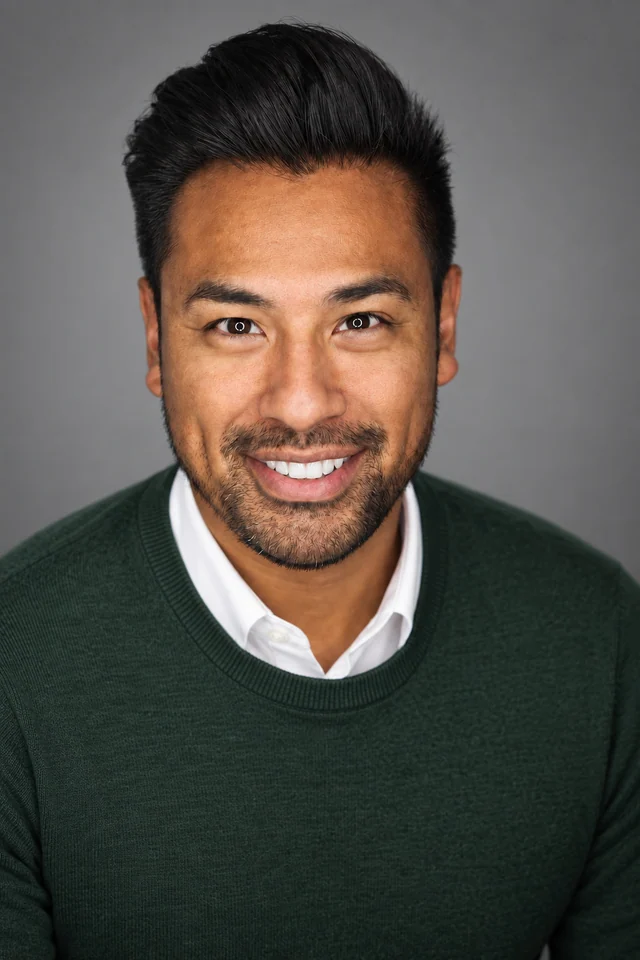
A plain-background product example
The gray backdrop, white collar, and dark knitwear form a restrained studio look. The framing includes the shoulders and leaves room above the hair, matching the presentation described in this example brief.
Reference photo: Joseph Gonzalez.
Situation 02
An existing portrait can fit your new business identity
Suppose you are launching an independent consulting website and want professional business headshots that fit its visual style. You already have a portrait created here with an expression, background, and level of dress you like. If the website uses a muted green palette, adjusting the jacket color can bring the portrait closer to that direction. You can ask to retain the existing studio light and setting as you revise the clothing.
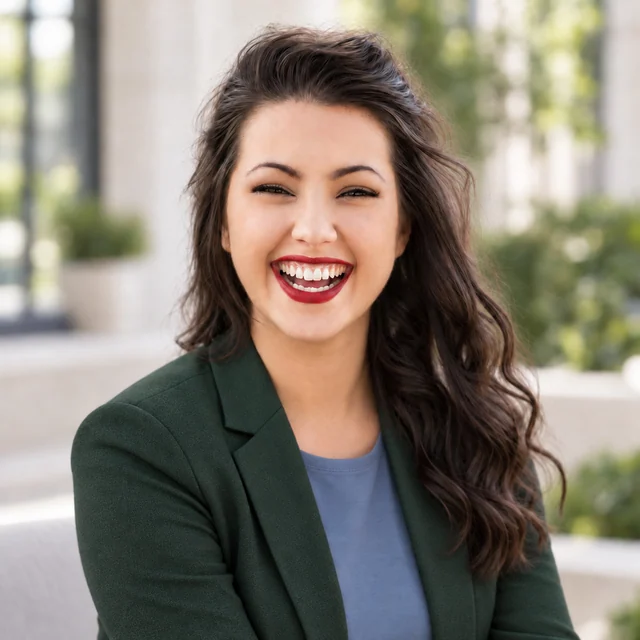
The edit pair shows that kind of focused adjustment: the charcoal jacket becomes dark green, while the blue top, bright courtyard, and broad smile remain visible. The jacket still provides the same level of business dress; its color changes how the portrait relates to the page around it. Use your own website's colors as context if helpful, or keep the existing portrait when it already fits.
Optional edit request for a selected result
For my professional business headshots, change the jacket to dark green to suit my consulting website. Use the current background, lighting, and broad smile as the direction, and keep my natural facial details.
With active paid editing access, select the portrait and describe the clothing change. Original references continue to guide the edit. Compare the new jacket with your website and the earlier version during the storage period; if the color is too strong, ask for a more muted shade.
Before the clothing edit
After the clothing edit
The jacket changes from charcoal to dark green. The blue top, bright courtyard, and broad smile are visible in both versions, showing how a focused clothing edit can revise a business look.
Reference photo: Michael Dam.
Situation 03
Your latest photo is casual, but it shows you as you are now
Suppose your old work portrait no longer reflects your glasses, hairstyle, or facial hair, and your clearest recent photo was taken in everyday clothes. Use that recent photo to start new professional business headshots. It supplies a more current view of you, while the finished outfit, framing, and studio lighting can be arranged around it. You do not need a new formal photograph just to provide the reference.
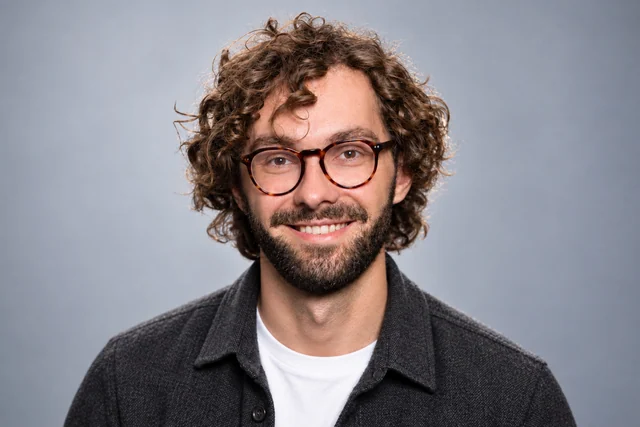
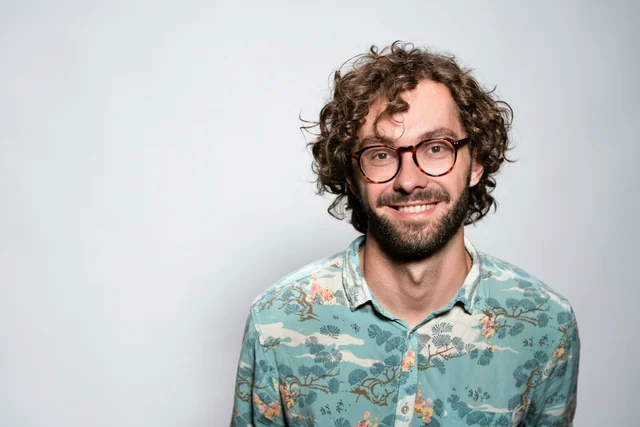
The reference in this example shows a patterned shirt and a wider view of the person. The generated result introduces a dark overshirt, white top, gray backdrop, and closer framing. Glasses, curls, and a beard remain visible in both images. This is the useful relationship for your update: a clear everyday photo can guide your recognizable appearance while the clothing and presentation become ready for a business introduction.
Optional request using your recent photos
Make professional business headshots using my recent photos. Keep my current glasses, hairstyle, facial hair, and natural age cues. Arrange simple business clothing, a quiet background, and clear studio light.
Once the portrait reflects the appearance in your recent references, use an eligible paid edit for any remaining styling preference, such as a collared shirt or a lighter background. Describe that adjustment while asking to retain your current glasses, hairstyle, and natural facial detail.
Original reference photo
AI-generated product result
The patterned shirt gives way to simple dark and white layers, and the face occupies more of the frame. Glasses, curls, and facial hair remain visible beneath the new studio styling.
How should you get your professional business headshots?
The right route depends on what the image needs to represent. A studio-style introduction and a photograph documenting your actual workplace can have different requirements.
Work with a photographer
Choose a photographed session when the actual location, a specific physical outfit, or direction from a person during the shoot matters. Bring the company's brief so framing and lighting can be planned around it. If the recipient requires a newly photographed image, that condition also determines the route.
Create from your own photos
Use our AI workflow when clear current references are available and you want new clothing, a backdrop, and studio lighting without attending a shoot. You can add the work requirements in words. The result is generated, so this route depends on the recipient accepting generated portraits and the final image fitting your intended introduction.
Keep an existing suitable portrait
If your current photo already reflects your appearance and meets the recipient's clothing, background, and quality requirements, you may not need a new one. A crop can adapt framing but cannot recreate studio light or change an outfit. Request a new portrait when the presentation itself needs to change.
Bring your own photos. Add only the requirements that matter.
You do not need a finished outfit or a complete photography brief to create professional business headshots. The form above accepts your photos and optional preferences in the same workflow as your results.
Start with a clear, recent view of you
Use a photo that shows your face and current appearance without heavy filters or deep shadows. The reference outfit can be casual; we can arrange the finished clothing. If glasses or hair hide important details, another clear reference can help. Avoid using an old professional portrait as your only guide when you look different now.
Leave the styling to us, or add a short brief
No requirements yet? You can start with your photos alone. If a company has supplied instructions, add the relevant background, clothing, and framing preferences. A sentence such as “Light gray backdrop, navy jacket, and room around my shoulders for the staff profile” is more useful than configuring individual photography settings.
Begin with the recommendation
In the full paid workflow, we check and select one recommended headshot and two alternatives per scene. Start with the recommendation; the alternatives are optional. If the styling needs adjustment, select the result and describe the change with active paid editing access. Before sharing it, confirm that the finished portrait fits the recipient's requirements.
Professional-Headshot.ai handles the clothing, background, lighting, and portrait workflow in one place. Use the form on this page to create your own introduction, with no separate studio booking or required style selection.
Why choose us for professional business headshots?
Create studio-quality professional business headshots without sorting through a gallery yourself. In the full paid workflow, we check the options against your original photos and select one recommended headshot plus two alternatives per scene, ready for your business introduction.
One Recommended Headshot. Two Alternatives.
For each paid scene, we organize the strongest results into one recommended headshot and two alternatives. Begin with the recommendation for your company profile or business biography. You can view the alternatives if you want another option; the system has already done the selection work.
CreateCheckSelect
Quality Checks Before Delivery
Professional business headshots need believable facial detail beneath the studio styling. We check for visible issues such as distorted glasses, unnatural eyes or teeth, and changes to facial features. Affected photos are repaired or replaced where possible; results that still fail are left out of the paid delivery.
Keep the Details That Make You Recognizable
A new business introduction should still show you. Your glasses, facial hair, hairstyle, age, skin tone, and natural facial details should remain part of the result as the lighting and clothing become more polished. Current reference photos guide that appearance; an exact match is not guaranteed.
Your Studio-Quality Look, Handled for You
We coordinate the clothing, background, lighting, and overall styling for your professional business headshots. Start with just your photos; preferences are optional. If a company requests a particular backdrop or level of dress, include it without having to prepare that finished outfit for your reference photo.
Refine the Result Instead of Starting Over
With active paid editing access, select a result and describe a change, such as a lighter company backdrop or a different jacket color. We use your original photos to guide the edit and keep earlier versions available for comparison during the storage period. You can continue from the portrait you already have.
Professional business headshots: questions before you start
What are professional business headshots?
They are portraits focused on the face, usually including the shoulders, for a business introduction. Coordinated clothing, clear facial light, and an appropriate background help the image work beside your name and role. This page lets you create an AI-generated portrait from your own photos.
Do I need a suit for professional business headshots?
Only if it suits your work or the recipient requires it. A blazer, shirt, blouse, or neat knit can work with a considered background and portrait lighting. Follow a specific company dress requirement when one exists; otherwise, use the way you normally introduce yourself professionally as a guide.
Should I smile or keep a serious expression?
Use an expression that feels familiar and suits the introduction. Both a relaxed smile and a quieter expression can work with clear eyes and balanced lighting. Your reference photos can show the expression you prefer; looking professional does not require a stern face.
Can I start with a selfie?
Yes. Use a recent, clear photo with your face visible, without heavy filtering or strong shadows. It can guide your appearance while we create the studio styling. An unclear selfie cannot reliably supply hidden details, so use a clearer reference when your eyes or facial features are obscured.
Do my reference photos need the final business outfit?
No. The references guide your appearance, while the finished clothing, background, and light can be generated. You can start in everyday clothing and describe a company requirement if needed. Use a photographer if the image must document an exact physical garment or uniform rather than a generated interpretation.
Can I follow my company's photo requirements?
You can describe its background, clothing, lighting, and framing preferences. Those instructions guide the generated portrait, but they do not guarantee exact compliance or company approval. Confirm whether generated images are accepted, and compare the finished result with the actual brief before submitting it.
Can the background show my real office?
A generated office can suggest a business setting, but it is not a photograph documenting your premises. For professional business headshots that must show the actual workplace, use a photo taken there. A neutral studio backdrop is another option when a specific location is unnecessary.
Will my glasses, hairstyle, and age still be recognizable?
Current reference photos guide those details. The aim is to retain your glasses, hair, facial hair, age, skin tone, and natural facial features while improving the presentation. You can highlight a detail that matters, but AI results can vary and an exact likeness is not guaranteed.
Can I use the same portrait for my company and personal profile?
Often, if its clothing, background, and framing fit both and each recipient accepts the image. A company-specific outfit or setting may not suit an independent business introduction. Use separate crops where appropriate, or request a styling edit when the actual presentation needs to change.
Can I use Professional-Headshot.ai for free?
Yes. Get started for free without an account. The complete paid workflow adds multi-scene generation, checked recommendations and alternatives, and editing according to your plan. The available plans explain the included access; those additional capabilities are not all part of free use.
Do I have to choose from a large batch of photos?
No. In the full paid workflow, the system checks and selects one recommended headshot plus two alternatives per scene. Start with the recommendation for your business introduction and open the alternatives only if useful. You do not need to sort the full set of generated candidates.
Can I change my professional business headshots later?
With active paid editing access, select a result and describe a clothing, background, or lighting adjustment. Original references continue to guide the edit, and earlier versions remain available during the storage period. Editing does not repeat the complete initial generation checking process, so review the revised portrait before use.
Make your next business introduction feel current
Create professional business headshots from the photos you already have. Bring a company brief if there is one, or let us handle the studio look around your current appearance.