AI Model Headshots

Create studio-quality AI model headshots from your photos for your profile or portfolio introduction. We handle clothing, background, and lighting. Start without booking a studio or choosing a look first.

Try a free watermarked preview. The full paid workflow checks results against your original photos and selects one recommended headshot plus two alternatives per scene, so you do not have to sort through a gallery.

Ready to use as it is. Add a use, outfit, background, or lighting preference if you have one.

Free watermarked preview · No account required

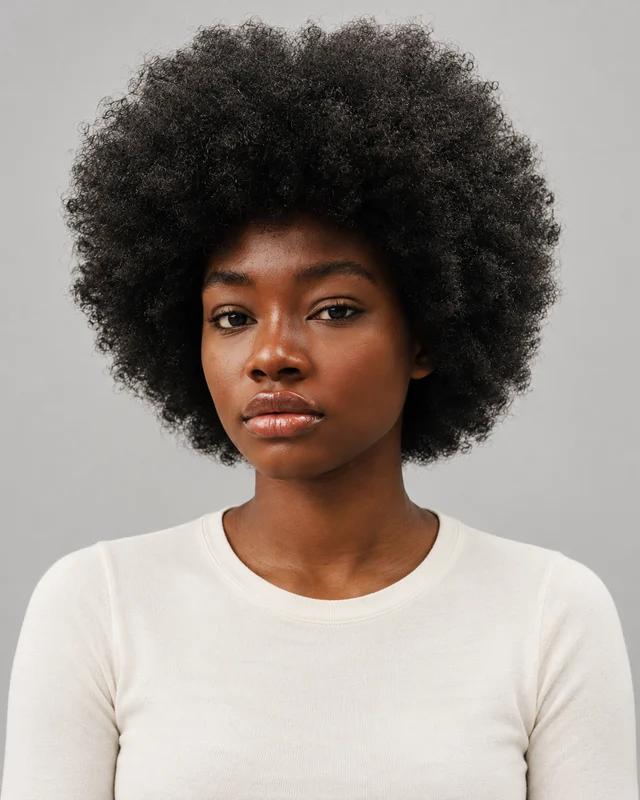
AI model headshot styling illustration with an ivory top, even studio light, and a pale gray backdrop
Original reference used for this AI model styling illustration
AI styling illustration
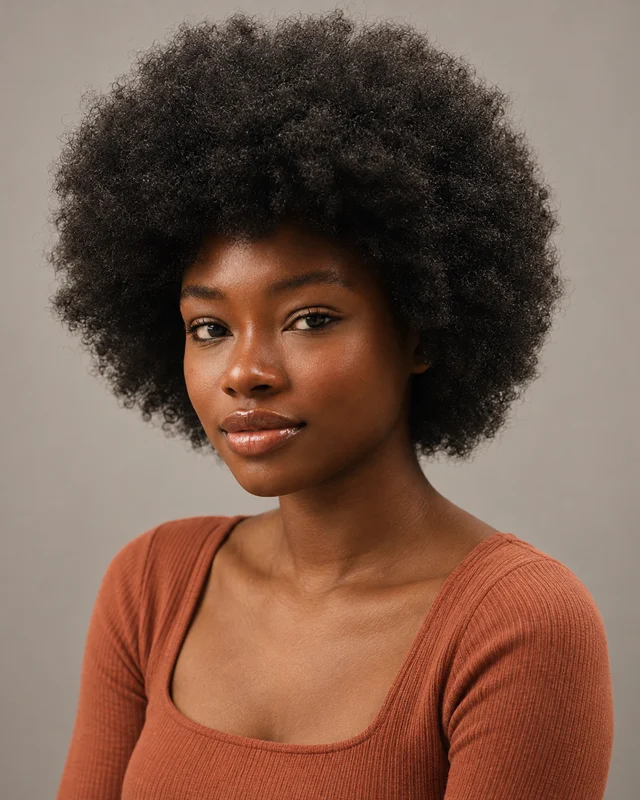
AI model headshot styling illustration with a relaxed smile, terracotta top, and warm studio lighting
Original reference used for this AI model styling illustration
AI styling illustration

A Studio Look That Fits Your Model Profile

These three examples show how light, expression, and clothing can change the presentation of AI model headshots. We handle these choices together. Start with your photos alone, or describe a preference; you do not need to select one of these looks to begin.

AI model headshot styling illustration with an ivory top, even studio light, and a pale gray backdrop
AI styling illustration

Clean Profile Portrait

Soft, even light makes both sides of the face easy to see, with space around the hairline and a plain neckline below. In a model profile introduction, this restrained portrait puts facial features ahead of the outfit. It shows less dramatic contour than directional lighting, but keeps the eyes and natural skin detail clear against the pale background.

AI model headshot styling illustration with a relaxed smile, terracotta top, and warm studio lighting
AI styling illustration

Approachable Commercial Look

A relaxed smile and a slight shoulder turn give the introduction a warmer, more conversational feel than the neutral expression in the first example. Soft warm light and casual clothing support that approachable commercial presentation. The change is in expression and styling, while the face remains the focus; this illustration does not represent a booked campaign or client shoot.

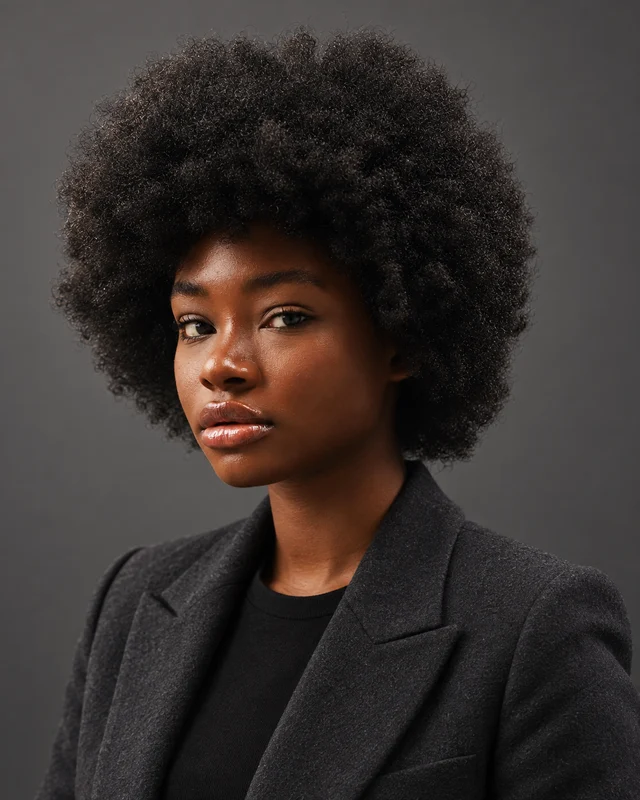
AI model headshot styling illustration with a charcoal jacket, directional light, and a dark gray backdrop
AI styling illustration

More Defined Studio Styling

Side lighting brings more definition to the cheek and jaw contours, while fill light keeps the shaded eye visible. The jacket and darker background create a more styled introduction beside fashion imagery. Stronger shadows can also conceal facial detail: a useful refinement is “Keep the directional light, but soften the shadow around my eyes without changing my face.”

Why Choose Us for AI Model Headshots?

Our generator creates studio-quality AI model headshots without leaving you with a gallery to sort through. In the full paid workflow, it checks the options against your original photos and selects one recommended headshot plus two alternatives for each scene.

One Recommended Headshot. Two Alternatives.

For each scene, we organize the strongest results into one recommended portrait and two alternatives. Start with the recommendation for your model profile or portfolio introduction. View the alternatives if you want another option; you do not have to work through a gallery to find your starting point.

CreateCheckSelect

Quality Checks Before Delivery

Clear studio lighting should show your features naturally. We look for visible issues such as distorted glasses, unnatural eyes or teeth, and changes to your facial features. Photos that fail these checks are repaired or replaced where possible, and those that still fail are left out.

Keep the Details That Make You Recognizable

Your hairstyle, age, skin tone, glasses, facial hair, and natural facial details should remain part of your AI model headshots. A polished portrait for your personal introduction should still look like you, with lighting and styling that support your appearance.

Your Studio-Quality Look, Handled for You

We build the complete look for each scene, from clothing and background to lighting and overall styling. Start with just your photos, add preferences if you have them, or let us make the choices for you. A request as simple as “a clean portrait for my personal website” gives us a use to work around.

Refine the Result Instead of Starting Over

Select a headshot and tell us what to change, such as a simpler neckline, a quieter background, or softer lighting. We use your original photos to guide the edit and keep earlier versions available for comparison during the storage period. You can develop an existing portrait as your presentation changes.

Give Your Model Portrait a Clear Role in Your Portfolio

An Introduction Beside Your Shoot Work

Use AI model headshots on the personal introduction page to help visitors recognize the person behind the portfolio. A simple neckline, quiet backdrop, and clear studio light give the face its own space beside more elaborate shoot images. Keep photographs of actual shoots and client work identified separately; a generated outfit or setting is not evidence of a modeling assignment. For this introduction, you could request: “Keep my full hairstyle visible, simplify the neckline, and use soft light so my face stays clear beside my fashion images.”

Change the Presentation, Keep Your Current Appearance

Across AI model headshots, a warmer expression or more directional light can change the mood without requiring a different face. In these examples, focus on how the light and clothing change around the same reference person. For your own introduction, keep your current hair, age, skin tone, and natural facial details as the reference point. If a styled result makes your features look different, request a correction with active editing access: “Keep the jacket and background, but soften the cheek shadows and preserve my natural facial proportions.” Editing uses your original photos; it does not repeat the full generation quality review.

AI Model Headshots FAQ

Can AI model headshots replace agency digitals?

No. A generated studio portrait does not replace unedited photographs when an agency asks for them. For example, FAD Models requests unedited front, side, and full-body photographs without filters or retouching. Follow the recipient’s current brief for required photos and styling. We do not guarantee agency acceptance. See FAD Models’ application requirements.

Can AI model headshots replace a complete modeling portfolio?

No. This page creates a head-and-shoulders portrait for a personal introduction. Studio lighting and a styled outfit do not demonstrate your posing range, full-body proportions, or experience on an actual shoot. Use the portrait for that limited role, and keep your shoot photographs and credited work separate.

Can I create a model introduction before my first photo shoot?

Yes. Start with a recent, clear photo of yourself; you do not need an existing modeling portfolio, studio clothing, or a professional backdrop. We handle the portrait lighting and styling. You can use the result for a personal introduction without presenting the generated scene as past modeling work. If you are applying to an agency, follow its requested photo format.

What reference should I use after changing my hairstyle?

Use a recent photo that clearly shows your current hairline, length, and how the hair falls around your face. When creating new AI model headshots, avoid relying only on references from before the change. A plain outfit and simple lighting are enough for the input; the studio styling comes afterward. Existing-result edits still use the original references, so a new generation with current photos is the clearer starting point for a substantially changed look.

Can I try it for free?

Yes. Generate a watermarked preview without an account to see the portrait styling. A watermark-free download requires a paid upgrade. The full Pro and Ultimate workflows include checked and selected results plus editing during the active package period. The free preview does not include those complete workflows.
Create Your AI Model Headshots

Create a studio-lit introduction for your model profile or portfolio, with your own face at the center. Upload your photo to try a free watermarked preview.

Generate My Model Preview