Create an AI profile picture from your own photo, with studio-quality lighting, clothing, and background. Make a realistic portrait for your work account, personal profile, or creative community, without booking a photo session.
Start with your photos. Styling preferences are optional. In the full paid workflow, we check the results and select one recommendation plus two alternatives for each scene.
Mention your account or a personal style preference if you have one. We can handle the complete look for you.
Use Professional-Headshot.ai for free · No account required
This tool creates photographic portraits of you. The examples below show actual product outputs, not a cartoon or illustrated-avatar collection.
From your own photograph
A new look, with familiar details
An AI profile picture can change the setting and presentation while keeping the person recognizable. Look at the two kinds of change in this example: the face still has its familiar features, while the outfit creates a different impression.
Original photograph
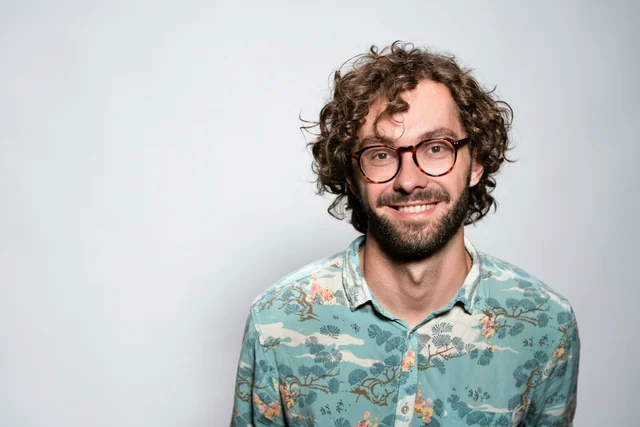
The rounded glasses, loose curls, beard, and smile give the portrait recognizable details. The patterned shirt is also a visible part of this particular look.
Actual AI-generated result
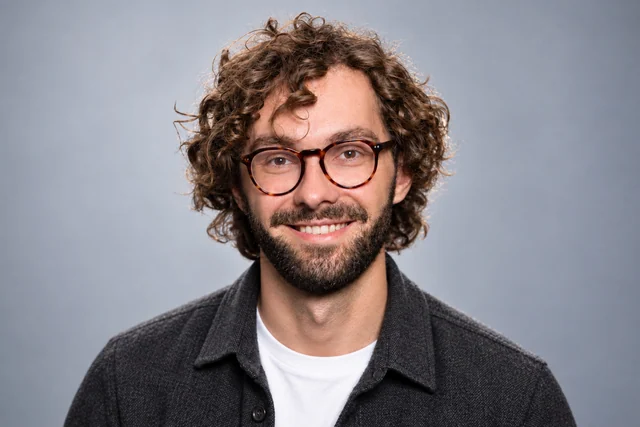
A charcoal overshirt, white T-shirt, and gray backdrop make the clothing quieter. The face is more centrally presented, with soft portrait lighting and the same recognizable hair, glasses, and beard.
Recognizable features are one part of the picture
For your AI profile picture, your current hair, glasses, and natural features should remain recognizable as the light and setting change. This example keeps those familiar details visible while introducing a quieter outfit and backdrop.
Personal style is a separate preference
The patterned shirt has not carried over. If that pattern matters to your personal style, mention it in the optional preferences alongside the portrait lighting you want. Your photos guide your appearance; retaining a particular garment is a separate request, with no guarantee of an exact match.
Actual product demonstration. Original photograph: Christian Buehner / Unsplash. The subjects on this page are demonstration examples, not customers or endorsers.
Your account, your style
An AI profile picture for the people you connect with
An AI profile picture can feel polished without turning every account into a work profile. These two situations connect the finished portrait to the way an account is actually used: who sees it, what appears beside it, and which parts of the look are worth keeping as the account changes.
The portraits are actual product outputs. The account situations and requests below are illustrative, not the subjects’ biographies or real customer accounts.
A personal account with a mixed audience
Your colleagues followed you. It is still your personal profile.
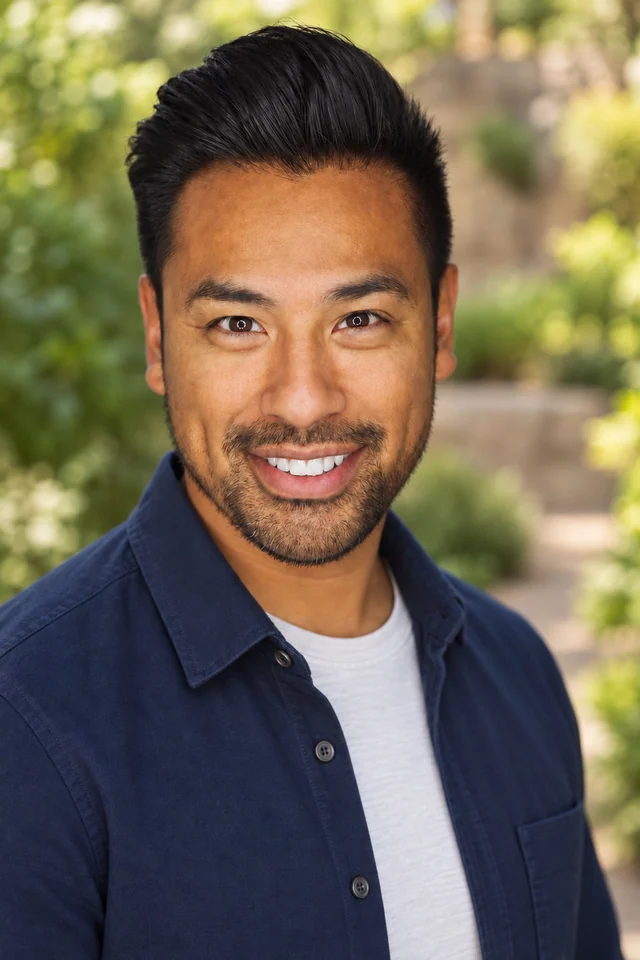
Imagine an account where you share weekend photographs, everyday updates, and occasional work news. Friends already know you there; now colleagues follow you too. You want a clearer AI profile picture, but a formal office portrait would feel detached from the rest of the account. The useful direction is a well-lit version of your everyday self, with clothing and a setting that still belong beside those personal posts.
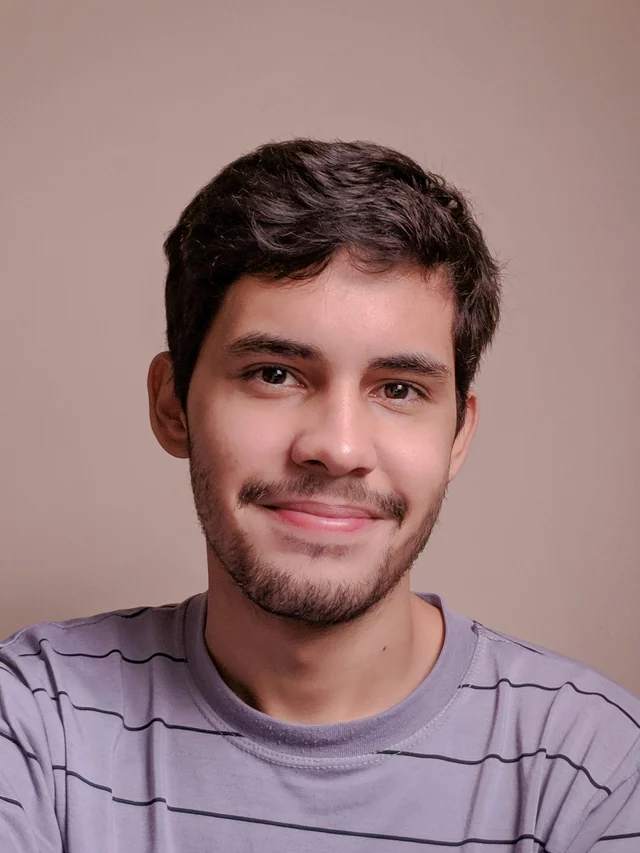
Actual product result: navy overshirt, pale crew neck, and softly blurred greenery. Reference photograph: Joseph Gonzalez / Unsplash.
What this portrait contributes
The open overshirt and crew neck give the image an everyday level of dress. The smile, facial hair, and clearly lit eyes carry the introduction; the green surroundings add an outdoor feeling without needing a recognizable landmark. The studio-quality finish comes from the considered face lighting and separation from the background. It does not require changing the scene into an office just because a coworker will see it.
When the audience changes but the account does not
If you still use the account for the same personal updates, this kind of AI profile picture can remain appropriate as more work contacts arrive. A new follower does not by itself create a new dress requirement. Keep the relaxed portrait if it represents how you want to appear there. A separate company directory with a specified background or jacket is a different request to handle separately.
If the look needs an adjustment
Suppose the outdoor atmosphere feels right, but you normally wear a plain T-shirt and the overshirt feels too structured. Ask for the simpler top while keeping the warm light and outdoor feeling. If the bright background instead draws your attention away from the face, ask for softer, quieter background detail. Describe the part that bothers you; neither change needs a new corporate setting.
Optional request for your own photos
Create an AI profile picture for my personal account, where I share everyday updates with friends and colleagues. Keep my familiar smile, use the relaxed layers I normally wear, and give it soft portrait light with a quiet outdoor feeling.
An account for your creative work
Let the work change while the person stays familiar
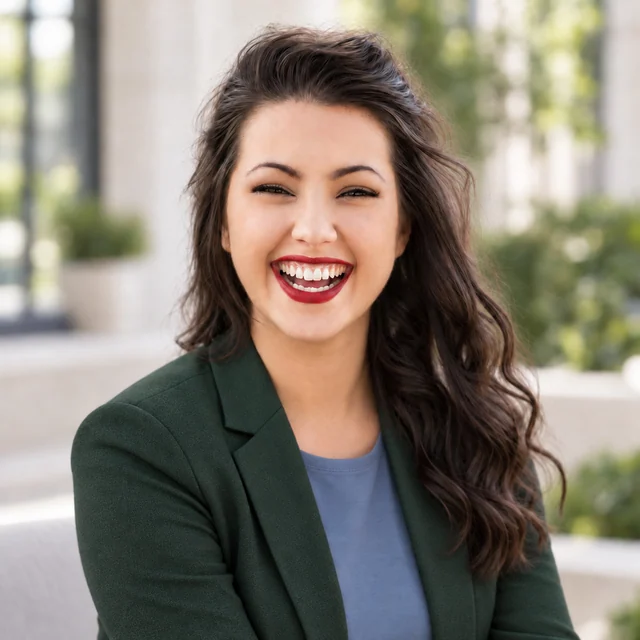
Suppose you share drawings under your own name: pencil studies one week, bright illustrations the next. You want an AI profile picture that introduces the person people follow, including when you reply to comments about different projects. Matching each new collection would mean repeatedly changing the portrait. Instead, choose a personal look you are comfortable keeping while the work around it evolves.
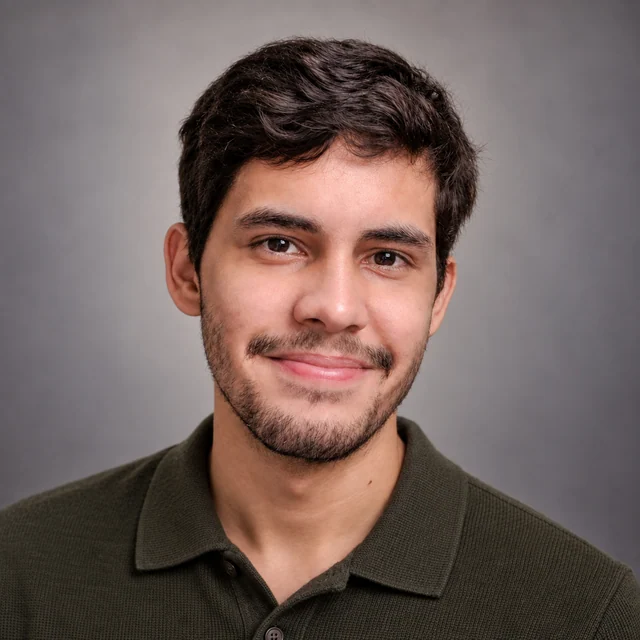
Actual saved product edit: forest-green jacket, blue top, and bright courtyard. Reference photograph: Michael Dam / Unsplash. No further edits are pictured in this example.
Color can belong to you, without matching every post
In this portrait, the forest-green jacket is a visible personal color, while the blue top, broad smile, and soft courtyard light make a complete introduction. It could suit someone who enjoys a colorful, structured outfit. There are no drawing tools or finished artworks in the frame. The face remains the subject, leaving the actual drawings to explain the creator’s work in the posts themselves.
When a new project has a different palette
Moving from green illustrations to black-and-white drawings would not, by itself, make this AI profile picture unsuitable. Its job is to identify the same person beside both kinds of work. You can keep the portrait light, expression, and clothing color stable. Reconsider the styling when your own presentation changes, rather than treating each new post color as a reason to generate another scene.
When the color fits but the outfit does not
The green jacket still has blazer lapels; its color has not made it a casual sweater. If your account is deliberately informal and you never wear jackets, ask for a relaxed green top while retaining the open expression and bright light. That addresses the clothing mismatch. Adding an easel, a studio room, or art in the background would add a theme without resolving the outfit you dislike.
Optional request for your own photos
For my drawing account, create a warm AI profile picture that introduces me across different projects. I like muted green, but prefer a casual top to a blazer. Keep my natural expression and give the portrait clear light and a quiet setting.
Why choose us for your AI profile picture?
Create a studio-quality portrait for your online profile without sorting through a large gallery. In the full paid workflow, we check the options against your original photos and select one recommended headshot plus two alternatives for each scene.
One Recommended Headshot. Two Alternatives.
For each paid scene, the system organizes the strongest results into one recommendation and two alternatives. Start with the recommended AI profile picture for your account; viewing the alternatives is optional. The selection work is already done, so you can focus on whether the portrait feels right for your introduction.
CreateCheckSelect
Quality Checks Before Delivery
We look for visible issues such as distorted glasses, unnatural eyes or teeth, and changes to your facial features. Photos that fail these checks are repaired or replaced where possible; those that still fail are left out. Your profile receives a checked portrait, rather than making you inspect a gallery for these problems.
Keep the Details That Make You Recognizable
Your glasses, facial hair, hairstyle, age, skin tone, and natural facial details should remain part of the picture. Better light and a new outfit should still introduce the person your contacts recognize. Your AI profile picture should feel like you across both familiar and new connections.
Your Studio-Quality Look, Handled for You
We bring clothing, background, lighting, and overall styling together for your profile. Start with your photos alone, add a preference such as a casual top for your personal account, or let us make the styling choices. You do not need to configure a complete look or book a photographer.
Refine the Result Instead of Starting Over
With eligible paid access, select a result and describe a change, such as a less formal outfit with the same soft light. We use your original photos to guide the edit and keep earlier versions available for comparison during the storage period. You can develop the portrait you already like.
Make your AI profile picture from a photo that feels like you
You do not need to take a new studio photograph first. A recent, clear phone photo gives the tool a reference for your face; the lighting, clothes, and setting can then be handled together. Use a photo with your current appearance instead of relying on a heavily filtered image to explain what you look like.
Use the examples to describe your own direction, not to borrow the demonstration subject’s face or expression. For a personal account, you might mention a casual outdoor feeling. For a creator account, you might name a clothing color you would enjoy keeping across projects. Your current photos guide the person, and we arrange the studio-quality presentation around that reference.
Upload your photo in the form above and leave the styling to us, or add the preference that matters to you. You do not need to classify your account, copy a sample request, or specify camera settings. In the full paid workflow, start with the recommended AI profile picture; there is no batch of portraits you must rank before moving on.
Professional-Headshot.ai handles the portrait styling in the same photo workspace, so you can create and refine your own picture without arranging a studio visit.
Keep the direction you like, change the part you do not
With eligible paid access, select the result you want to adjust and describe the specific change, such as the casual top in the creator example. Your original photos guide the edit. Earlier versions remain available during the storage period, so you can compare the clothing change with the portrait you already liked. The example requests are optional directions, not guaranteed reproductions of particular garments.
Put the portrait on your account
When your result is ready and available to download under your plan, upload it through the account’s own photo settings. Check its preview before saving: keep the face, glasses, and hair within the visible frame. If the platform uses a circle, a little space around the head helps. This is a final presentation check, not a need to sort through a large gallery or redesign the lighting for each app.
AI profile picture questions
What is an AI profile picture?
An AI profile picture is an AI-generated image used to represent you on an online account. The term can include illustrated avatars as well as photographic portraits. This tool creates realistic portraits from your own photos, handling the clothing, background, and studio-style light for a personal or professional introduction.
Can I make an AI profile picture for free?
Yes. Use Professional-Headshot.ai for free through the form on this page, with no account required to get started. The full paid workflow adds checked delivery with one recommended portrait and two alternatives per scene. Editing and other paid entitlements depend on the plan; the free entry does not include every paid feature.
Can I create an AI profile picture from a selfie?
Yes. Use a recent selfie with a clear view of your face and the details you normally show, such as glasses or facial hair. Avoid a strong beauty filter that changes those details. You do not need studio clothes or a professional backdrop in the source photo; the tool can create the overall portrait styling.
Do I need a prompt or a style selection?
No. Your photos are enough to start, and the system can handle the lighting, outfit, and background. Preferences are optional. If you have a direction in mind, a short description such as ‘relaxed clothing for my personal account, keeping my glasses’ is more useful than a long list of camera settings.
Will my AI profile picture look like me?
Your original photos guide the portrait, and your natural features, age, skin tone, hair, and glasses should remain recognizable. The full paid workflow also checks for visible facial changes and other quality issues. AI can still make mistakes, so exact likeness is not guaranteed. If a detail feels wrong, describe it when requesting an eligible edit.
Can the picture look casual instead of corporate?
Yes. Studio-quality describes the light and finish, not a requirement to wear a suit. Your AI profile picture can use a polo, casual layers, or a color you enjoy, with a simple or softly suggested setting. A personal account can have a carefully lit portrait without adopting the clothing of a formal work profile.
Will it keep the clothes in my original photo?
Not automatically. The tool handles clothing as part of the new portrait styling, while your original photos guide your recognizable appearance. If a patterned shirt, a favorite color, or another clothing detail matters to your profile, mention it in the optional preferences. A request can guide that direction, but it does not guarantee an exact garment reproduction.
Can I use one AI profile picture on several accounts?
Yes, when the same portrait fits how you want to introduce yourself on those accounts. A softly lit, casual portrait may suit both friends and work contacts. An account with a specific dress requirement may need a different direction. Check each platform’s photo preview for framing; a new crop alone does not require a new outfit or scene.
Does this tool make anime or cartoon avatars?
This page focuses on realistic photographic portraits of you, with studio-style lighting and personal or professional clothing. It does not offer an anime or cartoon style library. If you want your own face presented more clearly and deliberately, the photo-based workflow here is the relevant starting point.
Can I change the outfit or background after generation?
With eligible paid access, select your result and describe the adjustment. For example, ask for a plain blue top while retaining the expression and soft light. The edit uses your original photos, and previous versions remain available during the storage period. Direct edits do not rerun the full initial generation checks.
Will my new portrait be added to my account automatically?
No. Create the portrait here, then use the available download and your account’s own profile-photo settings. The tool does not connect to or update your social account. Before saving there, check that the chosen crop leaves the face and recognizable hair or glasses visible within the frame.
Create an AI profile picture that feels like you
Bring your own photo. We will handle the studio-style light, clothing, and background; add a personal preference only if you have one.