A resume headshot is a clear portrait for a job application that requests or accepts a photo. Create your resume headshot from your own photos, with studio-quality lighting, clothing, and background, without booking a shoot. Keep the appearance someone will recognize at your interview.
Start with your photos; styling preferences are optional. In the full paid workflow, we check and select one recommended resume headshot plus two alternatives per scene. The recommendation gives you a starting point for the application without sorting through a large gallery.
Your photos are enough to start. Add the intended role or an actual photo requirement if helpful; no resume upload needed.
Use Professional-Headshot.ai for free · No account required
A resume headshot is not required for every application. Follow the employer’s instructions and the expectations of the job market you are applying in.
From your photo to an application portrait
What should a resume headshot look like?
Your resume headshot should make your face easy to see in a small space, with clothing that fits how you would introduce yourself at an interview. These actual product images show a photographic direction for a resume headshot. They do not show a job applicant or an employment outcome.
Original reference
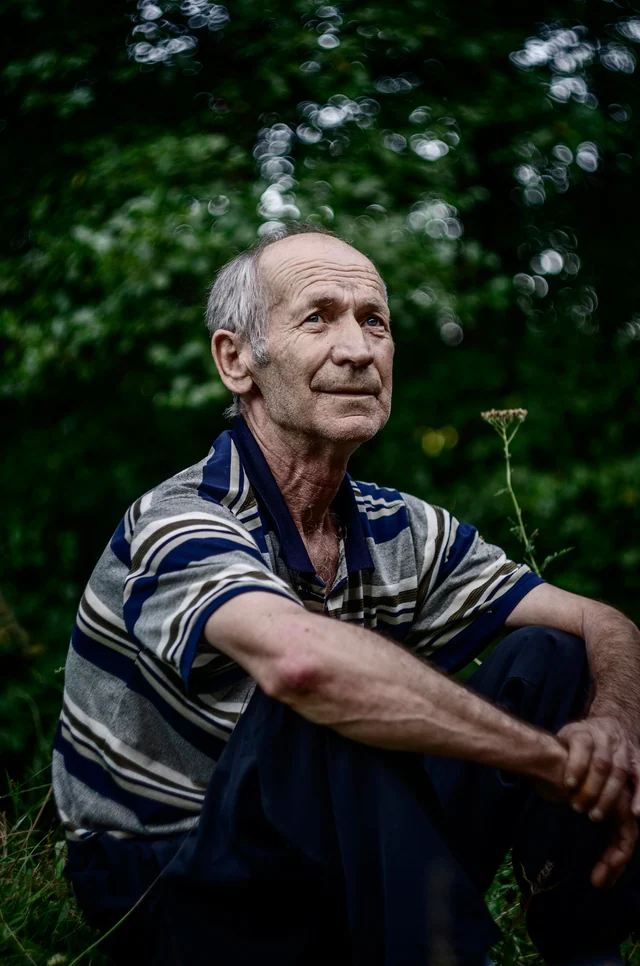
The original shows gray hair, facial lines, a striped polo, and an outdoor setting. A resume headshot can start from a clear everyday photo; you do not need to photograph the finished interview outfit first.
Actual AI-generated result
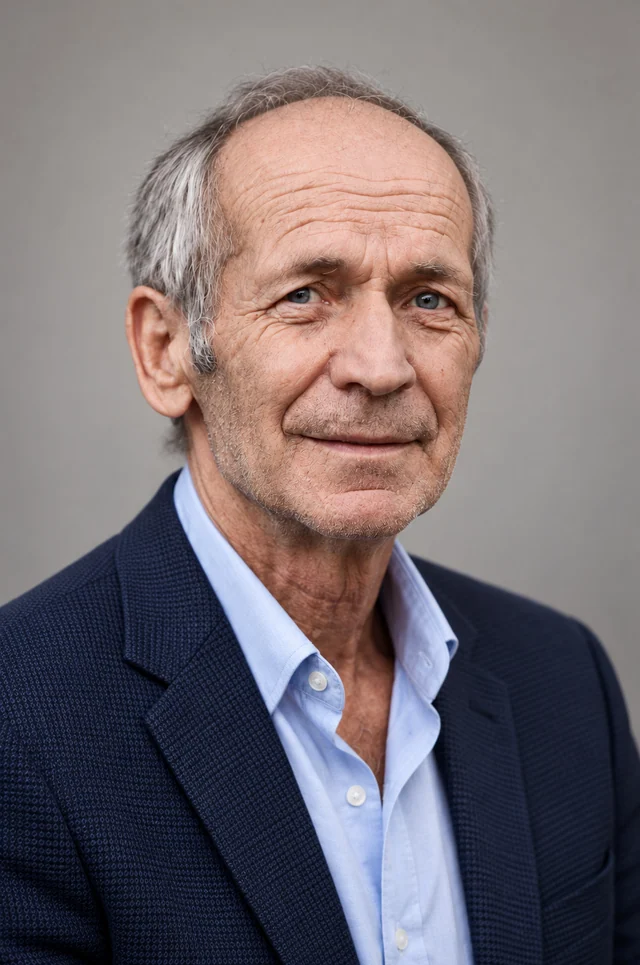
The result brings the face forward with a navy jacket, a pale open collar, and soft light against gray. Gray hair and facial lines remain visible. This resume headshot direction adds a finished presentation around the person.
A resume headshot that still looks like you
The light reveals the eyes and expression without hiding age cues. For your resume headshot, use current references rather than asking to look younger or to resemble someone else. The introduction should remain familiar when the application moves to a video call or interview.
Clothing for your resume headshot
The open collar makes this jacket look less formal than a suit and tie. A resume headshot does not require this exact outfit. If you normally interview in a neat shirt, blouse, or knit top, describe that preference and let us arrange the light and background around it.
Frame your resume headshot with room to spare
The quiet backdrop leaves the face and neckline easy to read. When placing your resume headshot in a document, retain space above the hair and enough shoulder detail to show the clothing. Stretching a wide photo into a narrow box changes the face; crop proportionally instead.
Selected product demonstration, not a customer endorsement. Reference photograph: Mihai Lazăr / Unsplash. Results vary.
Read the request before placing the photo
Where should your resume headshot go?
The same polished portrait can be appropriate in one part of an application and unnecessary in another. Decide where your resume headshot belongs from the actual instructions. A photo box in a template is a design choice, not evidence that the employer wants a picture.
01
“Send a resume without a photograph.”
Leave the resume headshot out of the document
Remove the photo area from the template and use that space for your name, contact details, or experience. Keep the finished resume headshot available for a professional profile that accepts a portrait; its clear facial light and interview-appropriate clothing can serve that separate introduction.
Open the exported attachment before sending it to confirm the photo area has been removed. Check the saved file as well as the template’s editing view.
02
“Upload your CV and a separate profile photo.”
Supply the resume headshot as a separate file
Keep the CV and portrait as two uploads. Use the image field’s instructions to prepare your resume headshot, including any requested dimensions or file format. Submit the downloaded portrait rather than a screenshot of the CV, which also captures text and can leave the face too small.
Preview the resume headshot in the photo field: the face, collar, and softly lit detail should remain clear. Match each attachment to its requested field before submitting.
03
“A professional photo on your CV is optional.”
Give your resume headshot a modest space
Choose whether a portrait fits the introduction you want to make. If you include a resume headshot, use a current likeness and clothing you would wear to an interview. Clear facial light and a restrained background let the picture sit comfortably beside your name and role.
Keep the resume headshot within the space available after your contact details and experience are readable. The paired examples below show one possible arrangement.
See the portrait beside the information
A resume headshot should leave room for your experience
Alex Taylor is a fictional candidate applying for an operations coordinator role. These excerpts keep the same name, work experience, and skills; version B adds a resume headshot beside the introduction. Compare the portrait area with the full-width experience section below it. The studio-style image supplies a recognizable face while the text explains the work.
The name, role, and experience are fictional and do not describe the person in this actual product photo. These excerpts illustrate placement; they are not downloadable templates.
Application A · Photo-free document
Alex Taylor
Operations coordinator
Fictional CV excerpt
Experience
Operations assistant
Coordinate weekly schedules and flag conflicting bookings before team meetings.
Track supplier deliveries and follow up on missing information with the purchasing team.
Prepare handover notes so colleagues can see open tasks and the next action.
Relevant skills
Scheduling · Supplier coordination · Spreadsheets
Version A gives the name and role their own header, followed by three specific experience bullets. Compare “Coordinate weekly schedules” in both excerpts: adding a resume headshot should not require shortening that description or reducing its text size.
Application B · Photo permitted
Alex Taylor
Operations coordinator
Fictional CV excerpt
Experience
Operations assistant
Coordinate weekly schedules and flag conflicting bookings before team meetings.
Track supplier deliveries and follow up on missing information with the purchasing team.
Prepare handover notes so colleagues can see open tasks and the next action.
Relevant skills
Scheduling · Supplier coordination · Spreadsheets
Version B places the resume headshot in the header and keeps the same experience bullets in a full-width column below. The face, pale collar, and navy jacket remain visible within the portrait area. The photo introduces the person; “Track supplier deliveries” explains a work responsibility the outfit cannot show.
Fit your resume headshot around the text you need to keep
For your own resume headshot, reserve a small area beside the introductory details and let the experience section use the full text width. If a larger photo pushes a bullet onto another page, reduce the photo area or change the layout before shrinking the text. Keep the portrait proportional. If cropping your resume headshot removes the hairline or collar, allow more room around the head and shoulders rather than stretching the face to fill the box.
Apply the idea to your own photo
Give your resume headshot a useful direction
You do not need to upload your resume or provide your employment history. Start your resume headshot with a recent face photo. If you have preferences, tell us how you want to present yourself and any actual photo requirements. A short resume headshot request can guide the outfit, background, and light without describing a complete studio setup.
An optional request for a photo-permitted application
Create a resume headshot for an operations coordinator application that accepts a photo. I would wear a simple collared shirt to the interview. Use a quiet neutral background and soft facial light, with room around my head and shoulders. Keep my current appearance, glasses if present, and natural facial details.
Professional-Headshot.ai creates your resume headshot from your own photos in the workspace above. It handles the photographic presentation; you add the finished photo to the appropriate document or profile yourself.
Refine your resume headshot for a specific request
With eligible paid editing access, select the recommended resume headshot and explain the remaining change: “Use a plain white background for this application. Keep the collared shirt, natural expression, and soft portrait light as the direction.” Your original photos guide the edit, and earlier versions remain available during the storage period. Compare the revised resume headshot with the request; an edit does not lock every other detail.
After downloading your resume headshot, use your document editor or the application’s photo field to place it. Check the exported file rather than only the editing view. We generate your resume headshot; we do not rewrite your CV, insert the image into a PDF, submit an application, or score it against an applicant tracking system.
Why choose us for your resume headshot?
Create a studio-quality resume headshot without a gallery to sort through. In the full paid workflow, we check options against your original photos and select one recommended portrait plus two alternatives for each scene. Start with the recommended resume headshot for your application, with styling preferences only if you want them.
One Recommended Headshot. Two Alternatives.
The system checks and selects one recommended resume headshot and two alternatives for each paid scene. Use that resume headshot as your starting point and view the alternatives if helpful. You do not need to compare a large batch to find a portrait for your application.
CreateCheckSelect
Quality Checks Before Delivery
We check for visible issues such as distorted glasses, unnatural eyes or teeth, and changes to facial features. Affected results are repaired or replaced where possible, and those that still fail are left out. Your resume headshot receives these checks before the initial paid delivery; clear studio lighting should reveal natural detail.
Keep the Details That Make You Recognizable
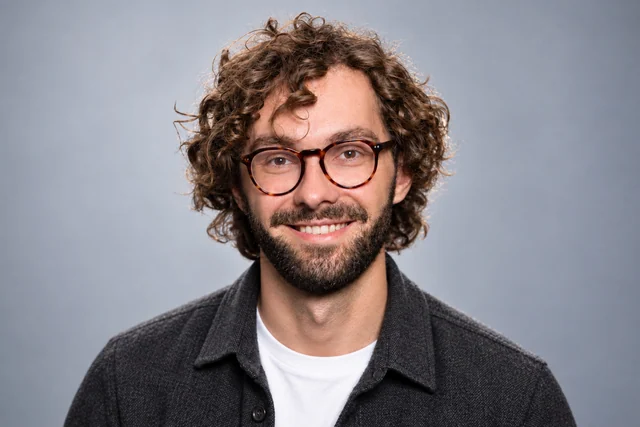
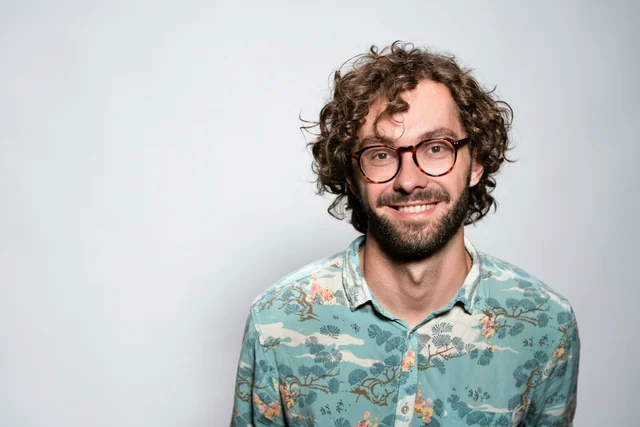
Your glasses, facial hair, hairstyle, age, skin tone, and natural facial details should stay part of your resume headshot. A more polished outfit or background should still introduce the person someone will meet at an interview. Your original photos guide that recognizable appearance in your resume headshot.
Your Studio-Quality Look, Handled for You
We coordinate the clothing, background, lighting, and overall styling for your resume headshot. Upload your photos alone, or add a preference such as an open collar and neutral backdrop. Your resume headshot does not require owning the finished outfit, selecting a style pack, or planning the studio lighting first.
Refine the Result Instead of Starting Over
With eligible paid access, select your resume headshot and describe a change, such as a quieter background or simpler neckline. Your original photos continue to guide the edit, and earlier versions stay available for comparison during the storage period. Continue from your resume headshot instead of starting a new shoot.
Do I need a resume headshot for a US job application?
For most US applications, a photo is usually left off the resume. Indeed’s career guidance recommends keeping the focus on skills and experience. Follow any specific application instructions. A resume headshot with clear portrait light can still be useful on an appropriate professional profile, but having one does not mean it belongs in the resume document.
Can I use an AI-generated resume headshot?
Use an AI-generated resume headshot only where the recipient accepts that kind of image and it represents your current appearance. Permission to include a photo does not automatically establish permission to use AI. If a recently photographed resume headshot is specifically required, provide that instead. Studio-quality styling does not guarantee employer or platform acceptance.
What should I wear in a resume headshot?
Choose the level of dress you would use for an introduction in that role: a neat shirt, blouse, knit top, or jacket may fit. A resume headshot does not automatically need a tie, and client-facing work does not automatically require a suit. Describe your preference; we coordinate the background and portrait lighting. Include an explicit dress requirement when one is supplied.
Can a selfie become a resume headshot?
Yes. A recent, clear selfie can guide your resume headshot if your face and eyes are visible without heavy filtering. Everyday clothes are fine in the reference because the finished outfit and studio lighting can change. Do not upload a scan of your CV or a tiny face cropped from a document as the identity reference.
What size should my resume headshot be?
There is no single resume headshot size for every employer, document, or upload field. Follow the recipient’s dimensions, file format, and size limit. Keep the downloaded resume headshot as your source, preserve its proportions when resizing, and check that the face and collar remain clear. The illustration on this page explains placement; it does not prescribe a universal photo-box size.
Can I use my LinkedIn photo as a resume headshot?
Yes, if the photo is current, its clothing and studio presentation suit the application, and the recipient accepts it. Use the original downloaded image rather than a screenshot of the circular avatar. Your resume headshot may need a different crop for a rectangular space; a new crop alone does not require new clothing or a different expression.
Will a resume headshot help my application pass an ATS?
We do not score resumes or claim that a resume headshot improves automated screening. Applicant tracking systems and submission instructions vary. Keep qualifications and contact details in readable text, follow the requested document format, and leave the resume headshot out when photos are discouraged. A photo field elsewhere in the application can have its own requirements.
Should my resume headshot have a white background?
Use white when the recipient requires it. Otherwise, a quiet gray or another restrained setting can keep your resume headshot clear without competing with the text around it. Check separation around your hair and clothing. If white is required after generation, an eligible paid edit can request that background while retaining your preferred outfit as the direction.
Can I get started on a resume headshot for free?
Yes. Use Professional-Headshot.ai for free through the photo form on this page; no account is required to begin. The complete checked delivery with one recommendation and two alternatives per scene, plus ongoing edits, belongs to the applicable paid workflow. Review the current plan details for the access you need for your resume headshot.
Do I have to choose a resume headshot from a large batch?
No. The full paid workflow checks the results and selects one recommended resume headshot plus two alternatives per scene. Start with the recommendation; alternatives are optional. Confirming whether the application accepts the portrait and its styling is different from doing the system’s quality checks or ranking all the generated candidates yourself.
Can I edit my resume headshot for another application?
With active paid editing access, select a resume headshot and describe the clothing, background, or expression change. Your original photos guide the edit, and earlier versions remain available during the storage period. Direct edits do not repeat the initial generation checking pipeline, so compare the revised resume headshot with your references. Use current references for a new generation if your appearance has changed.
Create a resume headshot for your next introduction
Bring a current photo and let us handle the lighting, clothing, and background. Add the application’s photo requirements if you have them, then use your resume headshot where that application accepts a portrait.